

Grid
The Grid field lets users add multiple rows of the same set of fields. Useful for things like "add another passenger", "add another line item", or any repeater-style input. Each row contains the same sub-fields and users can add or remove rows as needed.
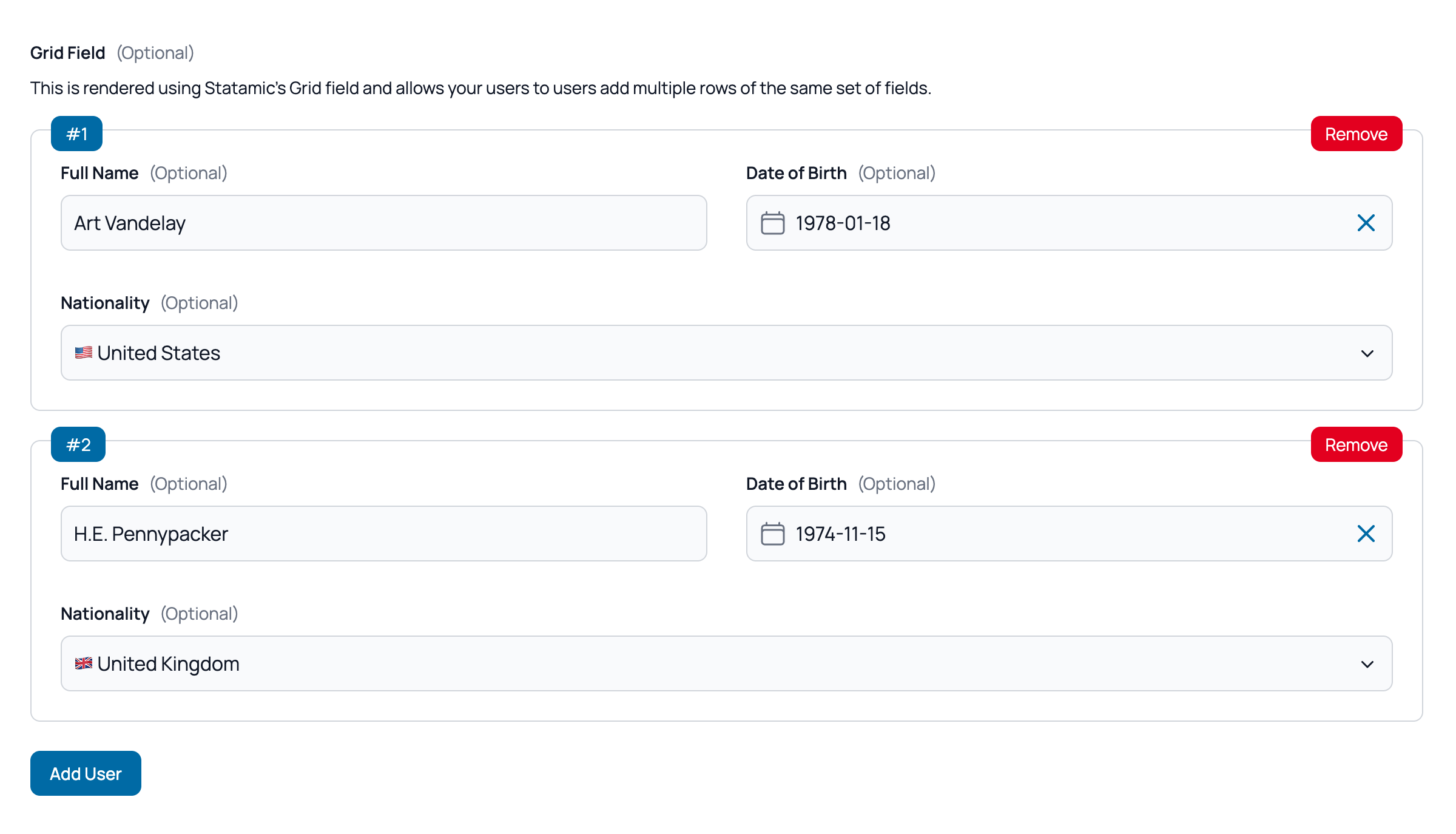
Basic Grid
A simple repeatable grid with text sub-fields.
Statamic Field Configuration:
- Field Type: Grid
Example:
handle: grid_field
field:
  add_row: 'Add User'
  max_rows: 10
  type: grid
  display: 'Grid Field'
  fields:
    -
      handle: full_name
      field:
        type: text
        display: 'Full Name'
        width: 50
    -
      handle: date_of_birth
      field:
        input_type: date
        improved_field: true
        max_date_today: 0
        type: text
        display: 'Date of Birth'
        width: 50
    -
      handle: nationality
      field:
        dictionary:
          type: countries
          emojis: true
        type: dictionary
        display: Nationality
Available Settings
min_rows: Minimum number of rows. Users can't remove rows below this count. Defaults to1.max_rows: Maximum number of rows. The "Add Row" button hides when the limit is reached.fixed_rows: Set an exact number of rows. Add and remove buttons are hidden.dynamic_rows_field: Handle of another field (e.g., an integer) that controls the row count. When the controlling field changes, rows are added or removed automatically.add_row: Custom text for the "Add Row" button. Defaults to"Add Row".
TIP
fixed_rows takes precedence over dynamic_rows_field. When either is set, add/remove buttons are hidden — the row count is fully controlled.
Dynamic Rows
Using dynamic_rows_field you can control the number of rows displayed by using another field. Using this feature you can use a field like an integer to show / hide rows. You can check an example in the Jobs example.
You can also combine it with the prepopulated_data and a hidden field to set the number of rows using Antlers / PHP.
Let's say you are getting inquiries for a an excursion that requires at least 4 persons and you want to have the details of each passenger. Each excursion's entry has a number_of_passengers field that sets how many people need to register. In you form. you have a hidden field with the handle quantity and you set it as the dynamic_rows_field for the grid. You can load the form as such:
{{ easyform handle="enquire" :prepopulated_data="['quantity' => $number_of_passengers]" }}And the grid will automatically display the number of rows you need.
Validation
Validation rules are defined on each sub-field and apply per row. Laravel's standard array validation kicks in automatically — Easy Forms maps grid fields to handle.*.subfield rules on the server side.
WARNING
Grid fields are not compatible with Laravel Precognition real-time validation. They are fully validated on form submission.
Best Practices
Row Limits
- Always set a reasonable
max_rowsto prevent abuse - Use
min_rowsto ensure at least the necessary data is collected - Prefer
fixed_rowsordynamic_rows_fieldwhen the number of entries is known or derived
Sub-fields
- Keep the number of sub-fields per row manageable — wide grids with many columns can be hard to use on mobile
- Use clear, short labels since they repeat on every row
- Add validation to each sub-field individually
User Experience
- Use a descriptive
add_rowtext so users know what they're adding (e.g., "Add Passenger" instead of "Add Row") - Use
displayto give the grid a clear heading